



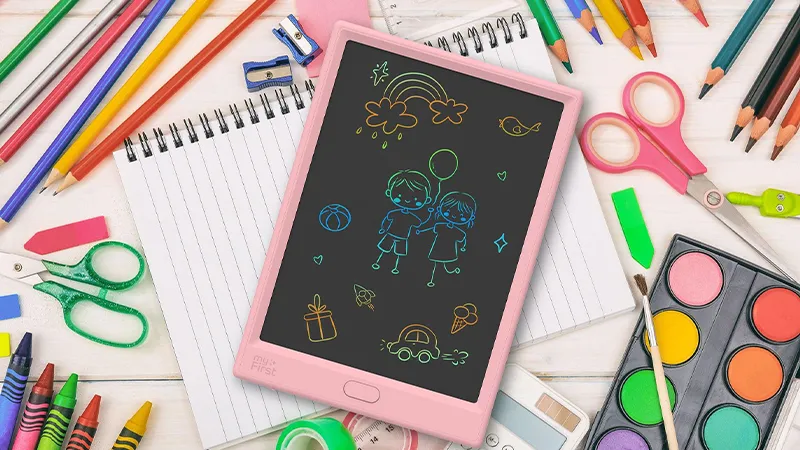
Kids don’t always need a big box of craft supplies to let their imagination flow. Sometimes, all it takes is a pen and an empty space. A drawing can become a fantasy creature, a treasure map or the start of a story. And when the next idea appears, they can simply start again.
With myFirst Sketch Pro Neo, children get their own drawing tablet, where they can create without using a new sheet of paper each time. The 25.4 cm LCD screen shows drawings in multiple colors, and with the press of a button, the entire drawing surface is clear again. It’s an easy way to make room for more ideas, both at home and on the go.
A drawing tablet where imagination leads the way
myFirst Sketch Pro Neo is an electronic drawing tablet made for drawing, writing and sketching. The included stylus is pressure-sensitive and gives a writing experience that feels like using a regular pen on paper. The difference is that the drawing appears directly on the LCD screen, and the whole surface can be used again and again.
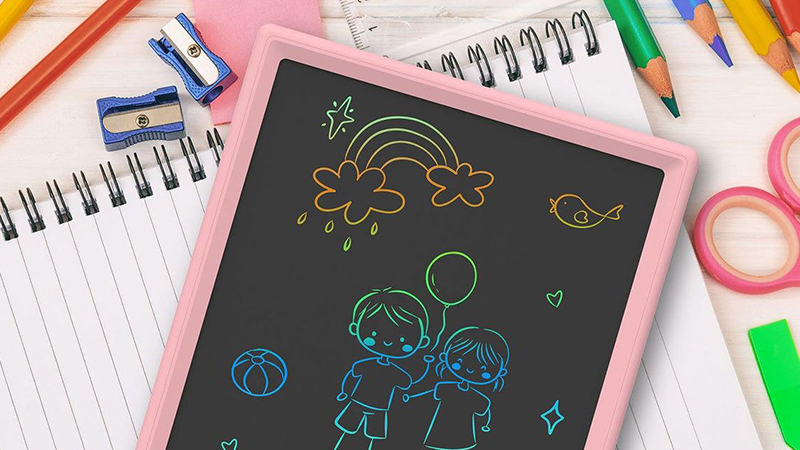
That opens the door to everything from quick doodles to more thoughtful pictures. Children can draw their favorite animals, invent their own characters or try to recreate something they see through the window. Since no new sheets of paper are needed for every attempt, it’s also easy to experiment. A failed drawing doesn’t have to be a problem when the next try is only a button press away.
From letters to their own stories
Learning to form letters and numbers can be more fun when there’s room to try things out. On Sketch Pro Neo, children can practice writing their name, draw simple shapes or test what different letters look like. When they want to start over, they erase the whole screen and get a fresh blank surface.
The drawing tablet can also become a tool for small stories. Start by drawing a house, add a character and then think about what happens there. Maybe there’s a dragon in the garden, or a secret door behind the house? By switching between drawing and storytelling, children can develop their ideas together with an adult or on their own.
Small games the whole family can join in
A drawing tablet doesn’t have to be used for drawings only. It also works as a game board for simple games where you’d otherwise reach for paper and pen. Tic-tac-toe is an obvious example. Draw a grid and take turns placing crosses and circles. When the round is over, erase it and start a new one.
You can also come up with your own guessing games. One person draws something while the others try to figure out what the picture shows. Or why not make a little treasure hunt, where someone draws a map of the living room? The beauty is that the games don’t require an app, an internet connection or any complicated instructions. It’s the children’s own ideas that set the pace.
Creativity that can go everywhere
Not every creative moment has to happen at the kitchen table. Sometimes the best ideas come in the car, on the train or during a quiet moment at grandma’s and grandpa’s. Sketch Pro Neo is light and portable, which makes it easy to slip into a backpack when the family is heading out.
The drawing tablet has rounded rubberized corners and an included case that helps protect it during storage and transport. The anti-glare screen also makes it easier to see what you’re drawing in different lighting conditions. It’s a practical option when you want to bring something creative without packing pens, an eraser and a whole sketchbook.
An empty screen, ready for the next idea
One of the most useful features of Sketch Pro Neo is the simple erase button. Instead of having to erase every line individually, the child can clear the entire screen at once. There’s also a lock function that prevents the drawing from being erased by mistake when the child wants to keep it for a while.
The drawing tablet is powered by a replaceable CR2032 battery and has low power consumption. It doesn’t need to be charged every night or connected to another device to be used. With its simple design, Sketch Pro Neo is just as suitable for a quick drawing as it is for longer creative sessions. And when the next idea appears, there’s always a fresh blank surface ready.
FAQ
How big is the screen on Sketch Pro Neo?
The drawing tablet has a 25.4 cm LCD screen where children can draw, write and sketch in multiple colors.
Can the drawings be saved digitally?
No, Sketch Pro Neo is a standalone LCD drawing tablet without a function for saving or exporting images digitally. If you want to keep a drawing, you can photograph it before the screen is erased.
How do you erase on the drawing tablet?
With the press of a button, the entire drawing surface is erased. There is also a lock function that prevents accidental erasing.
Does Sketch Pro Neo need to be charged?
No, the drawing tablet uses a replaceable CR2032 battery, which is included in the package.
What’s included when you buy Sketch Pro Neo?
The package includes the drawing tablet, a pen, a pen cord, a case, a CR2032 battery and a user manual.